
APK Analysis tab
APK details
Section titled “APK details”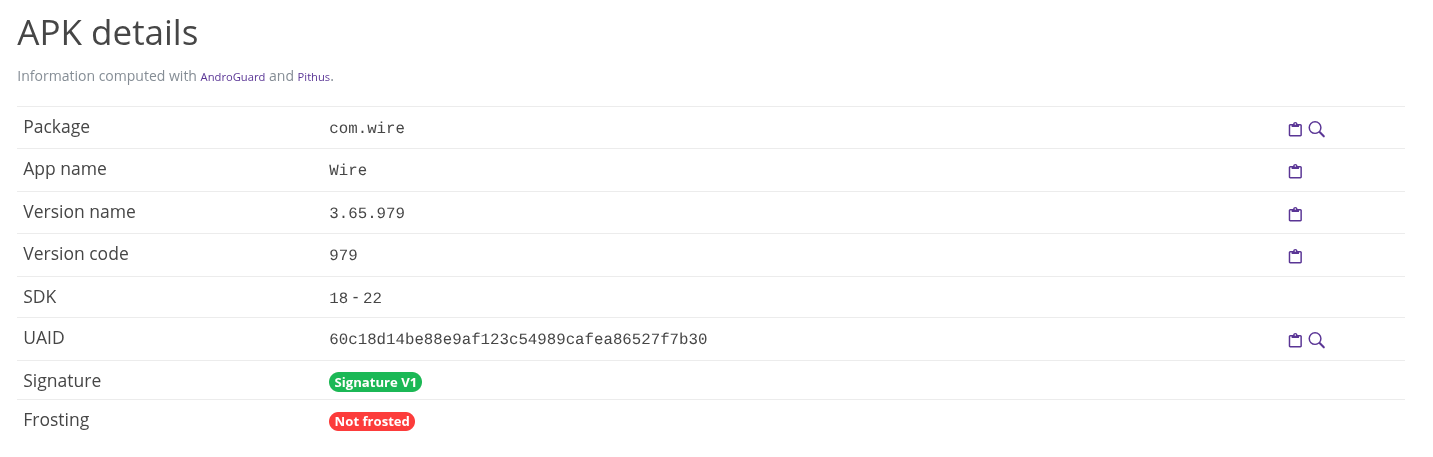
This table summarizes the applications’ basic informations, listing:
- package name: the official name of the application
- app name: the defined name of the application
- version name: the version of the application
- version code: the version code of the application
- SDK: the android SDK version the app is made for
- UAID: unique android id number
- signature: whether or not the app have been signed with a valid signature
- frosting: when an application is frosted it means it has been published to the Google Play store.
Certificate details
Section titled “Certificate details”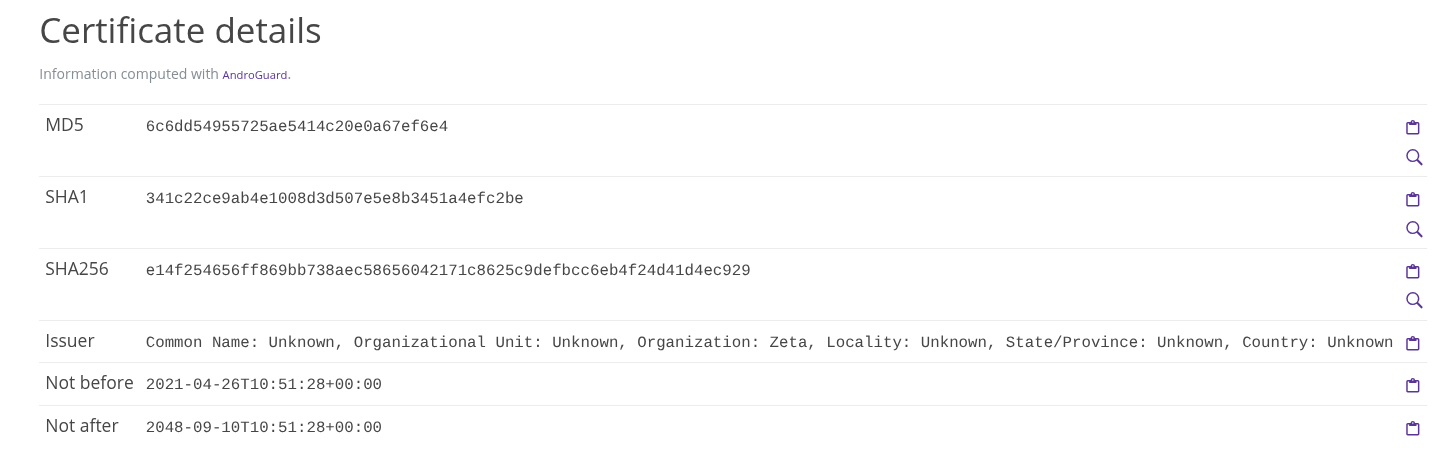
This information identifies the certificate used to sign the application.
Manifest Analysis, Browsable Activities, Main Activity
Section titled “Manifest Analysis, Browsable Activities, Main Activity”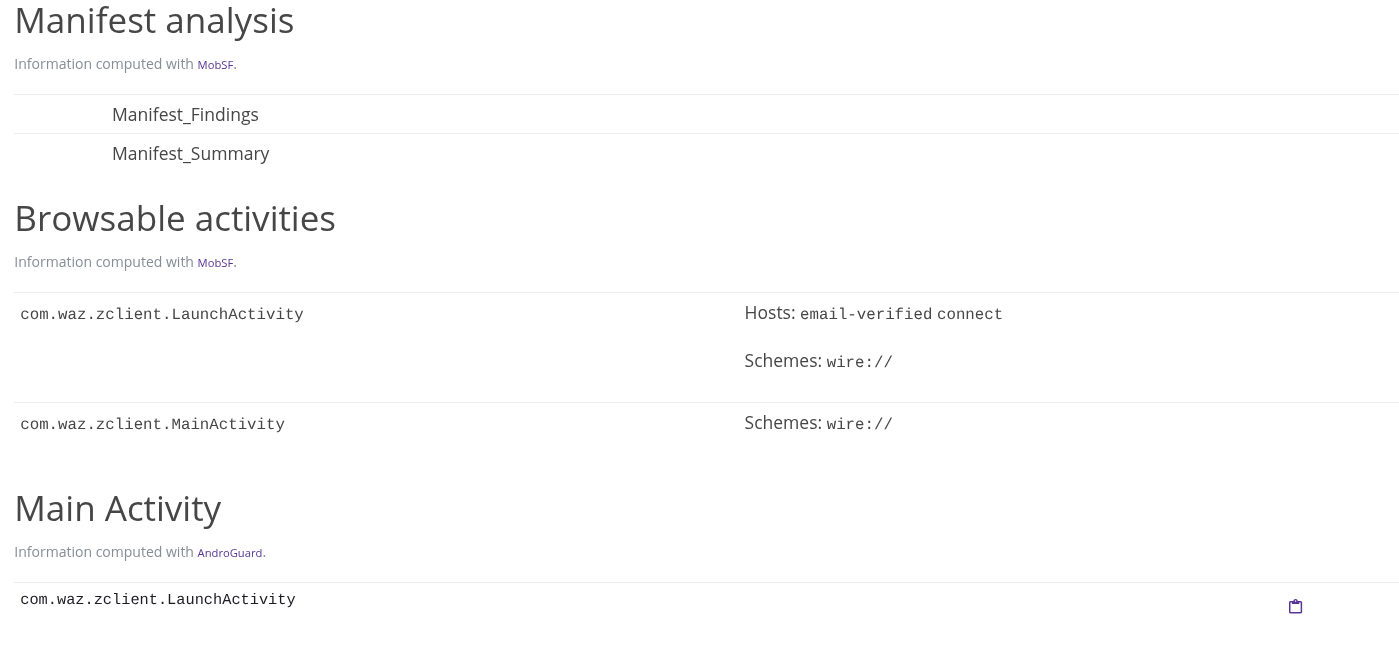
These sections gather information from the MOBSF report to display information about the manifest and notable activities. Browsable activities are the activities susceptible to be open in a browser. Main activity identifies the entry point in the code of the application.
Activities, Receivers, Services
Section titled “Activities, Receivers, Services”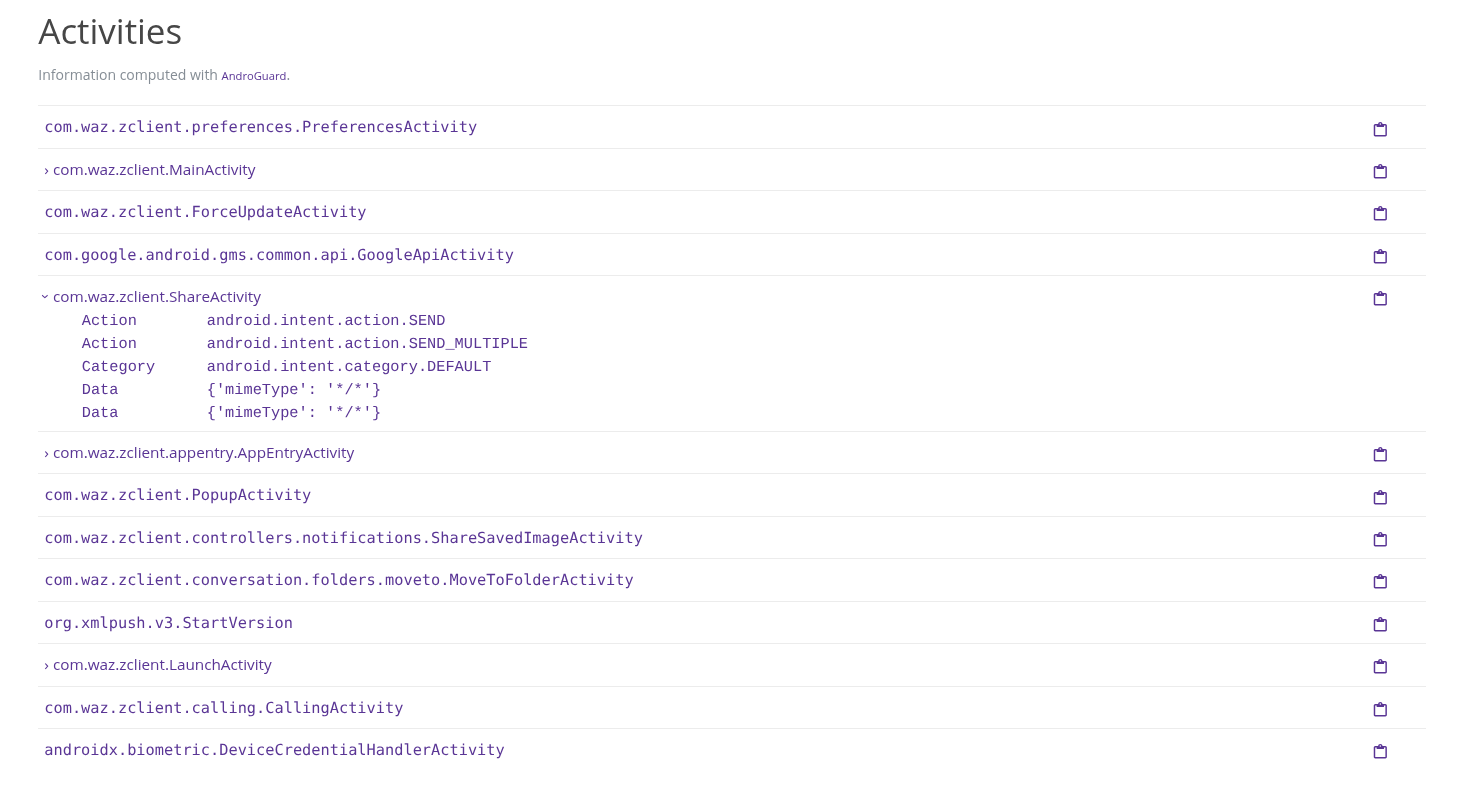
These three sections shows the Activities, Receivers and Services defined by the application. For each of those, when intents are configured, they are displayed in a collapsible element. In the picture above, four activities have intent defines, visually identified by the > to their left.
Activity
Section titled “Activity”An Activity represents a single screen or user interface within an Android application. It is responsible for displaying information and handling user interactions, such as button clicks, text input, and navigation.
Receiver
Section titled “Receiver”A Broadcast Receiver is a component that listens for and responds to broadcast messages (Intents) sent by the Android system or other applications.
Service
Section titled “Service”A Service is a component designed to perform operations without requiring direct user interaction or a visible user interface. It is typically used for tasks that need to continue while the user interacts with other parts of the application.
Hidden Files
Section titled “Hidden Files”
In some case, files can be hidden inside the application package, Pithus tries to discover them by looking for file headers inside other files. Here, a DEX file have been uncovered, and can be downloaded by clicking on its name.